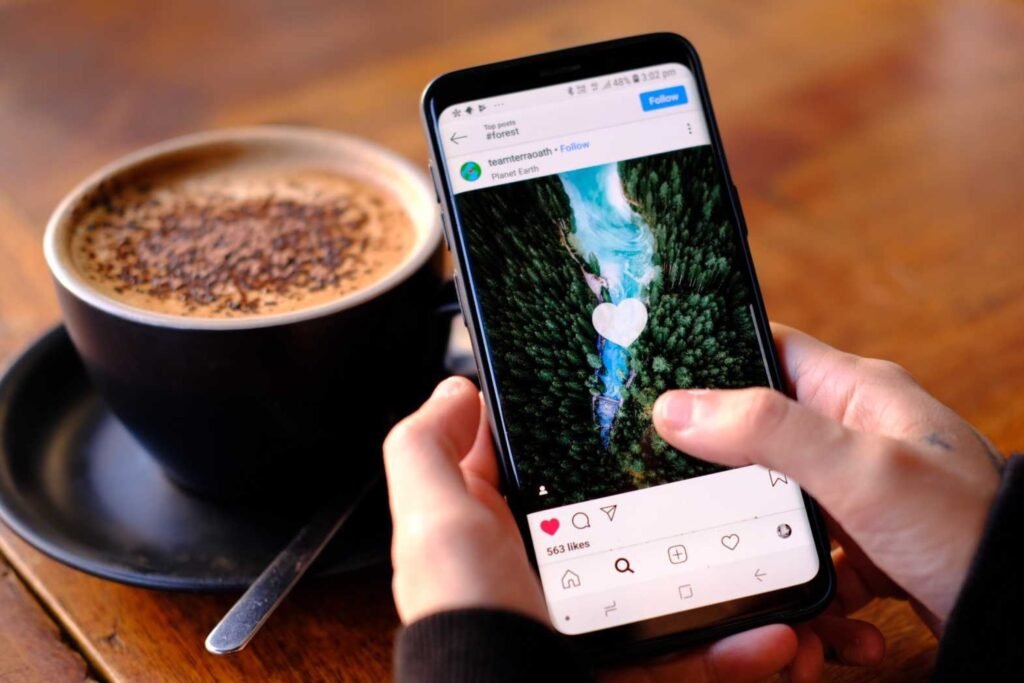
Fake DM screenshots are everywhere. Some are harmless memes. Others are meant to “prove” someone said something they never did, right before a pile-on starts. The tricky part is that fakes look clean because they are clean, built from scratch instead of captured from a real phone.
Here’s a fast, practical checklist you can run in about half a minute.
1) Check the top bar first (5 seconds)
Instagram screenshots often betray themselves at the very top. Look for:
- No time, no battery, no signal icons, or icons that don’t match the device type.
- Mixed UI eras, like an older header with newer button styles.
- Weird spacing around the username, back arrow, or video call icons.
Real screenshots inherit the messiness of real life. Perfect alignment can be a tell.
2) Zoom in on typography and spacing (5 seconds)
Two quick tells:
- Inconsistent font weight between message bubbles, timestamps, and names.
- Odd line breaks that feel “designed” rather than naturally wrapped by the app.
If the screenshot looks like it was laid out in a design tool, trust that instinct. It often was.
3) Look for “too neat” conversation flow (5 seconds)
Real DMs have friction: typos, double texts, “seen” delays, reactions, voice notes, accidental sends, edits, unsent messages, link previews.
Fake ones frequently read like a screenplay. Clean back-and-forth. Perfect grammar. No interruptions. No clutter. If it feels written to make a point, it probably is.
One reason: tools that generate chat images make it easy. A site offering a fake instagram chat mockup can produce a convincing-looking thread in minutes, which is great for skits and storyboards, and also convenient for bad actors.
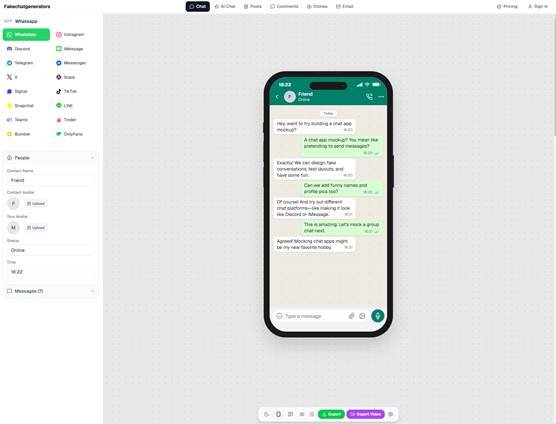
fakechatgenerators.com lets you mock up chat screenshots across 16 platforms
4) Scan for missing Instagram-specific details (5 seconds)
Instagram DMs have lots of tiny, hard-to-forge elements. Check for:
- Reaction emojis placement and size.
- “Seen” or “Active” indicators that match the context.
- Link previews (when someone shares a URL) and whether the preview style matches current Instagram behavior.
- Message requests or “You replied to their story” style labels, when relevant.
A screenshot that avoids all of these details may be avoiding them on purpose.
5) Hunt for compression weirdness (5 seconds)
This is the quickest “forensics” move non-experts can do.
- Zoom in on edges of text. Are letters slightly fuzzy while the background stays sharp, or the opposite?
- Check for blocky artifacts around icons, especially near the top bar.
- Look at uniform blur across the whole image. Real screenshots are usually crisp, unless they were re-saved repeatedly.
Excessive re-compression can hide edits, but it can also create inconsistencies that edits leave behind.
6) Ask: “Where’s the rest of the screen?” (3 seconds)
A common trick is cropping so you can’t see:
- The chat name fully
- The profile picture
- The date separators
- The message input bar
- The full device status bar
Tight crops remove context, which removes ways to verify. A real screenshot can be cropped too, obviously, but cropping is also how fakes dodge scrutiny.
7) Do a quick tool check when it matters (7 seconds)
If the screenshot could affect someone’s reputation, job, safety, or a legal claim, eyeballing is not enough. Run it through an ai image detector that flags AI-generated media and tampering, and claims 98.7% detection accuracy across 50+ generative models with sub-150ms latency. Think of it like a second opinion, especially when the image quality is low or the stakes are high.
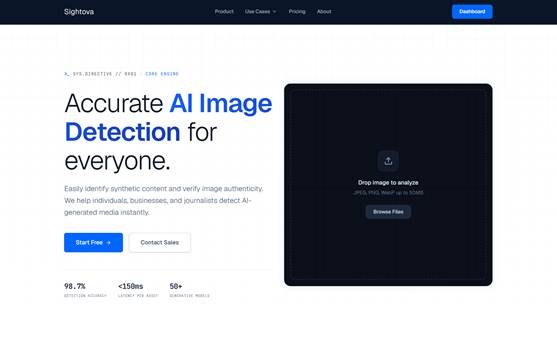
sightova.com flags AI-generated, tampered, NSFW, and violent imagery in milliseconds
8) Use the “one question” test (under 2 seconds)
Ask the person sharing it: Can you screen record opening the DM thread from the inbox, scrolling a bit, and tapping the profile?
A screen recording is harder to fake convincingly in a hurry (not impossible, just harder). If they refuse, stall, or send another still image instead, treat the original screenshot as unverified.
The 30-second rule
If you only remember three things: start with the top bar, zoom on text spacing, then demand context (screen recording or more of the thread). Most fake Instagram DMs collapse under those basics.